
A great photo or video earns a pause. The caption decides what happens next: a like, a comment, a save, a click or nothing at all. Yet many businesses write captions as an afterthought.
Here is a simple approach to writing captions that people actually read and respond to.
Why captions matter
Captions give context, show your brand's personality and tell people what to do next. Comments, saves and shares also signal to platforms that your post is worth showing to more people. A good caption makes all of these more likely.
The Hook, Value, Action formula
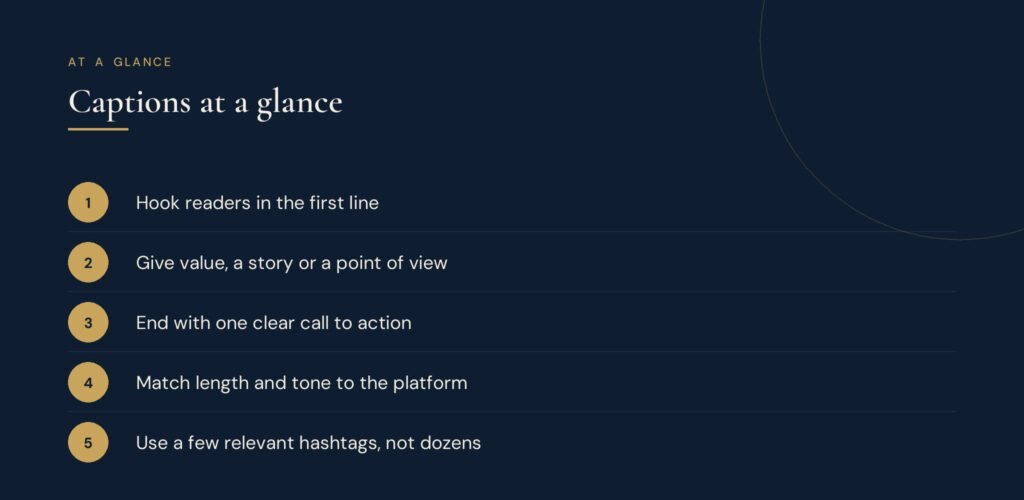
Most effective captions follow three steps.
1. Hook
The first line is the only part many people see before tapping "more". It needs to earn attention. Strong hooks include:
- A surprising fact or number: "Most of our customers find us after 9 pm."
- A bold opinion: "Posting every day is not the secret to growth."
- A relatable problem: "Spent hours on a post that got 3 likes?"
- A direct question: "What is the one tool you could not run your business without?"
2. Value
Deliver on the hook. Share a tip, a short story, behind-the-scenes detail or the answer to the question. Keep sentences short and break text into small paragraphs or lists so it is easy to read on a phone.
3. Action
Tell people exactly what to do next, and only ask for one thing:
- "Save this for your next campaign."
- "Tell us your answer in the comments."
- "Tap the link in our bio to book."
- "Share this with a friend who needs it."
Example
Hook: "We almost lost our biggest client because of one email."
Value: "Three lines, sent too quickly, with the wrong attachment. Here is the 30-second check we now do before every client email: read the subject line aloud, open every attachment, and ask: would I understand this if I had no context?"
Action: "What is your pre-send habit? Tell us below."
Platform tips
| Platform | Caption length | What works |
|---|---|---|
| Short to long; first line matters most | Storytelling, tips, saves and comments | |
| Medium to long | Lessons, opinions, professional stories, line breaks | |
| Short to medium | Questions, community news, local updates | |
| TikTok | Short | Context for the video, a question or hook |
| X | Very short | One clear idea or opinion |
Hashtags: use a few, well
Hashtags help people discover content, but more is not better. Choose a small number of specific, relevant tags that describe the post and your audience, rather than very broad tags that millions of posts share. Our free hashtag generator suggests relevant options.
Write faster with templates and AI
Create a few caption templates for your regular post types: tips, product features, customer stories and announcements. Then fill them in each week. When you are stuck, the free AI caption generator can suggest several versions to edit in your own voice.
Common caption mistakes
- Starting with filler like "Happy Monday!" instead of a hook.
- Asking for too many actions at once.
- Writing a wall of text without line breaks.
- Using the same caption across every platform without adjusting it.
- Forgetting to reply to comments, which kills the conversation you started.
Plan captions with your content calendar
Captions are easier when you plan topics in advance. Use our guide to building a social media content calendar and check how often to post on each platform.
The bottom line
A good caption hooks attention, delivers something useful or interesting, and makes the next step obvious. Use the formula, keep it human and learn from which posts get the most comments and saves.
To build a complete social strategy, take the free Social Media Marketing course at Sayf & Co. Academy, or see our social media management service.