
Posting on social media without a plan usually goes the same way: a burst of activity, then weeks of silence, then a rushed post because you feel you should. A content calendar breaks that cycle. It turns social media from a daily scramble into a simple routine.
A social media content calendar is a schedule of what you will post, where and when. This guide shows you how to build one step by step and gives you a simple template to copy.
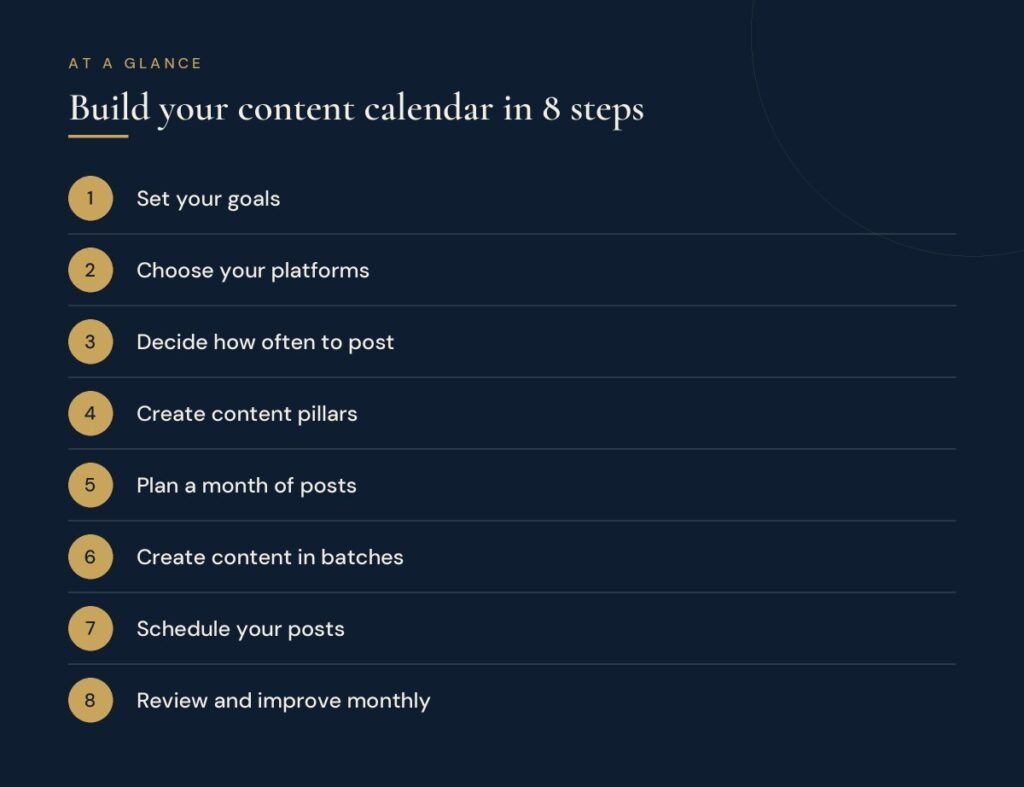
Why use a content calendar?
- Consistency: regular posting keeps you visible and builds trust over time.
- Better quality: planning ahead leaves time to write and design properly.
- Less stress: you decide once a month instead of every morning.
- Balance: you can see at a glance whether you are posting too much promotion and not enough value.
- Teamwork: everyone knows what is planned and who is responsible.
Step 1: Set your goals
Decide what social media should do for your business. Common goals are building awareness, driving visitors to your website, generating enquiries and staying in touch with existing customers. Your goal shapes what you post and what you measure.
Step 2: Choose your platforms
You do not need to be everywhere. Focus on the one or two platforms where your customers actually spend time. For example, LinkedIn suits professional services and business-to-business companies, while Instagram and Facebook often suit consumer brands and local businesses. It is better to do two platforms well than five poorly.
Step 3: Decide how often to post
Choose a frequency you can sustain for months, not just for a week. A realistic schedule you keep is far better than an ambitious one you abandon. Our guide on how often a business should post on social media breaks this down platform by platform.
Step 4: Create content pillars
Content pillars are three to five themes you post about regularly. They keep your feed varied and focused at the same time. Examples for a service business:
- Educate: tips, how-tos and answers to common questions
- Show proof: client results, testimonials and case studies
- Behind the scenes: your team, process and work in progress
- Promote: services, offers and calls to action
- Engage: questions, polls and timely topics
A useful rule of thumb is to keep promotional posts to a minority of your content. When most posts are genuinely useful, people pay attention to the occasional offer.
Step 5: Plan a month of posts
Set aside an afternoon at the start of each month. List important dates, launches and events first, then fill the remaining slots by rotating through your content pillars. For each post, note:
- Date and platform
- Content pillar
- Topic or headline
- Format, such as image, carousel, short video or text
- Caption and call to action
- Status: idea, in progress, ready or published
A simple weekly content calendar template
Here is an example week for a business posting three times on its main platform. Copy the structure into a spreadsheet and repeat it for each week of the month:
| Day | Pillar | Format | Example topic | Call to action |
|---|---|---|---|---|
| Monday | Educate | Carousel | Five quick tips your customers can use today | Save this post |
| Wednesday | Show proof | Image or short video | Before and after of a recent project | Read the full case study |
| Friday | Behind the scenes or promote | Short video | How we work, or this month’s offer | Send us a message |
Step 6: Create content in batches
Batching means writing all captions in one session, designing all graphics in another and filming several videos at once. It is much faster than creating one post at a time, and it keeps your style consistent.
Step 7: Schedule your posts
Use a scheduling tool, such as Meta Business Suite for Facebook and Instagram or the built-in scheduling on LinkedIn, to publish automatically. Scheduling ahead means your account stays active even during busy weeks.
Step 8: Review and improve every month
At the end of each month, look at which posts got the most engagement, clicks and enquiries. Do more of what worked, drop what did not and use those lessons to plan next month’s calendar.
Frequently asked questions
How far ahead should I plan social media content?
Planning one month ahead works well for most small businesses. Leave a little room each week for timely posts and news.
What is the best tool for a content calendar?
A simple spreadsheet is enough to start. As you grow, project management tools or dedicated social media schedulers can help teams collaborate and publish automatically.
What should I do if I run out of content ideas?
Go back to your customers’ questions. Every question you are asked by email, phone or in person can become a post. You can also repurpose blog articles into carousels, short videos and quotes.
Want your social media handled for you?
Our social media management service plans, creates and publishes on-brand content every month, manages your community and reports on what is working. Curious how your current profiles are performing? Get a free digital marketing audit.