You can add AI to a website, app or workflow without paying anything. Several providers offer free AI APIs with daily limits that are generous enough for prototypes, internal tools and small public features. The catch is in the details: rate limits, data use, and whether commercial use is allowed.
Here are the best free AI APIs in 2026, what each one gives you, and how to choose.
The best free AI APIs at a glance
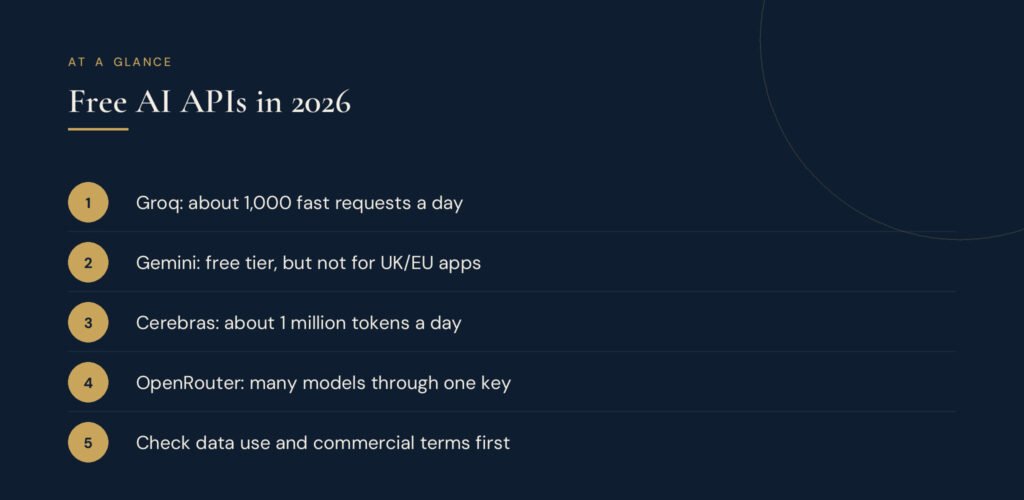
| Provider | Free allowance (approx.) | Card needed? | Good for |
|---|---|---|---|
| Groq | About 1,000 requests a day, 30 per minute | No | Fast text generation, chatbots, speech-to-text |
| Google Gemini API | Varies by model; shown in AI Studio | No | Multimodal tasks (text, images, audio) |
| Cerebras | About 1 million tokens a day | No | High-volume text generation |
| OpenRouter (free models) | 50 requests a day, or 1,000 after a $10 top-up | No | Trying many models through one API |
| Mistral (Experiment tier) | About 1 billion tokens a month | No | Testing European models |
| Cloudflare Workers AI | About 10,000 “neurons” a day | No | AI inside Cloudflare-hosted apps |
| NVIDIA NIM | About 1,000 requests a day | No | Prototyping with many open models |
Free-tier limits change often. Always check the provider’s current limits and terms before you build on them.
1. Groq
Groq runs open models on its own fast chips, and responses often come back in under a second. Its free tier allows roughly 1,000 requests a day at 30 requests a minute without a credit card, and its FAQ allows commercial use. Models include OpenAI’s open-weight gpt-oss models, Qwen and Whisper for speech-to-text.
Best for: chatbots, writing tools and anything where speed matters. We use Groq to power the free AI writing tools on our tools site.
2. Google Gemini API (Google AI Studio)
Google offers a free tier for its Flash and Flash-Lite Gemini models, which handle text, images and audio. Google does not publish fixed free limits; each project sees its own limits in AI Studio. Developers report the better Flash models can be limited to only a few dozen requests a day, while Flash-Lite allows more.
Three catches matter:
- Data use: on the free tier, Google says your prompts and responses may be used to improve its products and may be reviewed by people.
- UK, EU and Swiss users: Google’s terms say apps serving users in the EEA, Switzerland or the UK may use only the paid tier.
- No free image generation: Gemini’s image models are paid only.
Best for: personal projects and prototypes, especially multimodal ones.
3. Cerebras
Cerebras offers a free allowance of around 1 million tokens a day on open models, with very fast generation and no card required.
Best for: high-volume text tasks and as a backup provider.
4. OpenRouter free models
OpenRouter gives you one API key for hundreds of models from many providers. Some models are free, with a limit of 50 requests a day, rising to 1,000 a day once you have bought at least $10 of credits.
Best for: comparing models before you commit, with easy switching later.
5. Mistral
Mistral’s Experiment tier allows around 1 billion tokens a month, but you must agree that your data can be used for training. Its paid tier removes that.
Best for: testing Mistral’s European models. Avoid it for customer data.
6. Cloudflare Workers AI
Cloudflare includes a daily free allowance of about 10,000 “neurons” (its usage unit) for AI models running on its network.
Best for: sites and apps already hosted on Cloudflare.
7. NVIDIA NIM
NVIDIA’s API catalog lets developers try many open models for free, at around 1,000 requests a day. It is designed for development and testing rather than running a public product.
Best for: experimenting with the latest open models.
How to choose a free AI API
- Check commercial use. If customers will use it, make sure the terms allow it.
- Check data terms. Never send personal or confidential data to a tier that trains on it.
- Plan for limits. Cap usage per visitor so one person cannot use up your daily quota.
- Add a backup. Free tiers have no uptime guarantee. Set up a second provider, such as Groq with Cerebras, that takes over automatically.
- Keep your API key secret. Store it on your server, never in website code that visitors can see.
When to upgrade to a paid API
Move to paid when you need guaranteed uptime, higher limits, stronger privacy terms or the most capable models. Paid AI is often cheaper than people expect: small, fast models cost a fraction of a cent per answer. See our AI API pricing guide and the best AI models for each task.
Frequently asked questions
Is there a completely free AI API?
Several providers have free tiers with daily limits, including Groq, Google Gemini, Cerebras and OpenRouter. None are unlimited.
Is the ChatGPT API free?
No. OpenAI’s API is pay-as-you-go. You can use OpenAI’s open-weight gpt-oss models for free through providers such as Groq.
Is the Claude API free?
No. Anthropic’s API is paid, priced per token, although its smallest model, Claude Haiku 5.5, is among the cheapest capable models available.
Can I use a free AI API on a commercial website?
Sometimes. Groq and OpenRouter allow commercial use, for example, but check each provider’s terms, data rules and regional restrictions first.
Need AI built into your website?
We add practical AI features to websites, from content tools to chat assistants, with usage limits and backups built in. Start with a free digital presence audit, or learn the basics in what is AI.
Sources
- Free LLM APIs Compared (OpenRouter)
- Gemini API pricing changes (AgentDeals)
- Gemini API rate limits (Google)
- 5 Free LLM API Providers You Can Use in 2026 (KDnuggets)