A redesign is exciting: a fresh look, faster pages and clearer messaging. But many businesses launch a new site and watch their search traffic fall within weeks.
The cause is almost always the same. Pages that Google knew disappear, links break and well-ranking content is cut. The good news is that every one of these problems can be prevented with a simple checklist.
Before you start designing
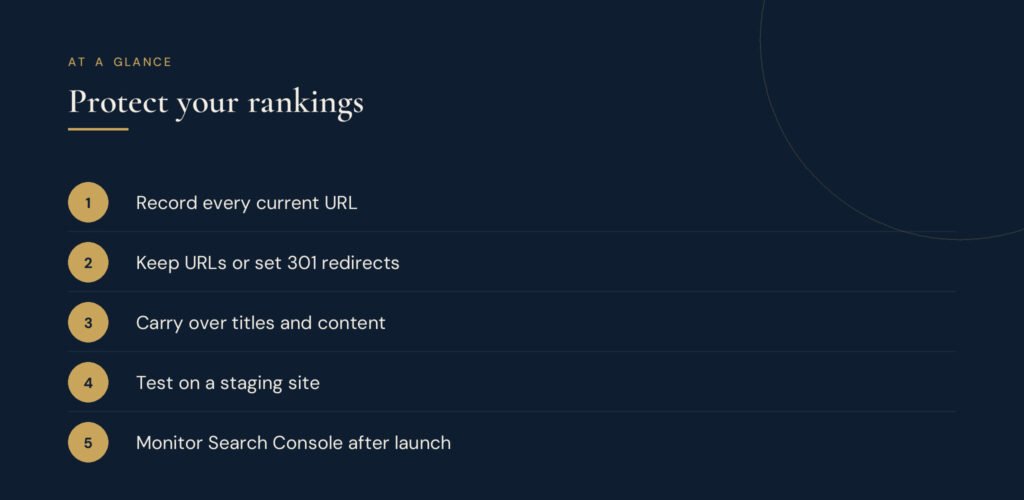
- Benchmark your current traffic. Save a snapshot of organic sessions, top landing pages and top keywords from Google Analytics and Search Console. You will need it to measure the result.
- Crawl the old site. Export a full list of URLs, page titles and meta descriptions. This list is your safety net.
- Identify your best pages. Mark the pages that bring the most traffic, links and enquiries. These must keep their content and value.
During the build
- Keep URLs where you can. The safest URL change is no change.
- Map every changed URL. For each old address, choose the closest new page and plan a 301 redirect. Never send everything to the home page.
- Carry over content and metadata. Keep the headings, text and meta titles and descriptions that already work, and improve them rather than starting from zero.
- Build on a staging site. Work on a private copy so the live site keeps ranking while you build. Block the staging site from search engines.
- Check speed and mobile layout. A redesign is the best moment to fix website speed and accessibility.
Launch day
- Switch on redirects and remove staging blocks. Make sure the live site is not set to noindex, a common and costly mistake.
- Submit the new sitemap. Add it in Google Search Console and request indexing for your most important pages.
After launch
- Watch Search Console for errors. Check 404 pages, redirect issues and the Pages report for at least eight weeks.
- Compare with your benchmark. A small dip for a week or two is normal. A steady drop means something was missed, so go back to your URL list.
Quick reference
| Risk | Prevention |
|---|---|
| Lost pages | 301 redirect map |
| Lost rankings | Keep content and metadata |
| Site not indexed | Remove noindex on launch |
| Broken links | Crawl after launch |
See it in practice
We apply this process across our own websites, from the main agency site to our learning and writing platforms. Read the case study: One brand, six websites.
Planning a redesign?
Our website development service handles the design, the build and the SEO migration, so your new site starts strong. Contact us for a free review of your current site.